If you happen to work for a museum or historical society involved in an inventory of your collection, and you want your inventory to include images of artifacts other than scans, here’s something we’re using that’s not only a time-saver but has greatly improved the quality of our shots.
First, let me tell you how we used to do it. I started out shooting images with my digital camera mounted on our new (used) copystand, purchased off eBay. But because I was working alone, not only did I have to place the artifact, check its placement on the camera’s built-in LCD screen, shoot and review the image, then move it slightly to the left or right, and adjust the aperture and ISO, reshoot, recheck and so on. That was taking way too much time when you consider we hope to get an image for every artifact in our collection -- estimated upwards of 8,000!
So I added a volunteer partner (in this case, my husband, who’s an avid photographer) to help me shoot batches of artifacts. With him shooting and making adjustments to the light, and me placing each artifact as I wanted it, this was definitely faster. One session we shot approximately two dozen images of a dozen artifacts. When I copied the files onto the computer and reviewed them a few days later, though, many were a little too dark or not as sharp as I wanted. By this time, of course, I’d replaced all the items in their protective enclosures and didn’t relish the idea of having to do it all again. So, either we’re left with a lower quality image, OR we have to take the time to reshoot and handle the artifact a second time.
First, let me tell you how we used to do it. I started out shooting images with my digital camera mounted on our new (used) copystand, purchased off eBay. But because I was working alone, not only did I have to place the artifact, check its placement on the camera’s built-in LCD screen, shoot and review the image, then move it slightly to the left or right, and adjust the aperture and ISO, reshoot, recheck and so on. That was taking way too much time when you consider we hope to get an image for every artifact in our collection -- estimated upwards of 8,000!
So I added a volunteer partner (in this case, my husband, who’s an avid photographer) to help me shoot batches of artifacts. With him shooting and making adjustments to the light, and me placing each artifact as I wanted it, this was definitely faster. One session we shot approximately two dozen images of a dozen artifacts. When I copied the files onto the computer and reviewed them a few days later, though, many were a little too dark or not as sharp as I wanted. By this time, of course, I’d replaced all the items in their protective enclosures and didn’t relish the idea of having to do it all again. So, either we’re left with a lower quality image, OR we have to take the time to reshoot and handle the artifact a second time.
"Tethered" shooting -- how it works. Click images for larger view:
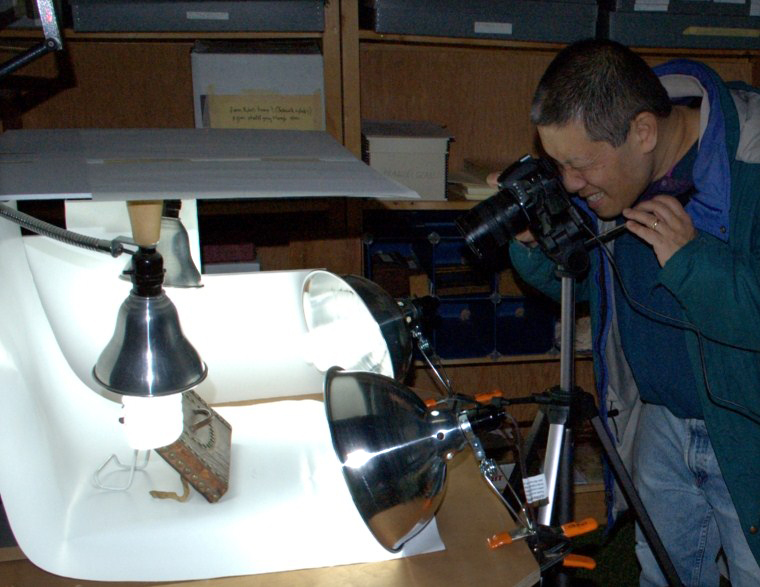 Using a copystand with four compact fluorescent bulbs to shoot 3D artifacts. A cable connects the camera to the computer. | 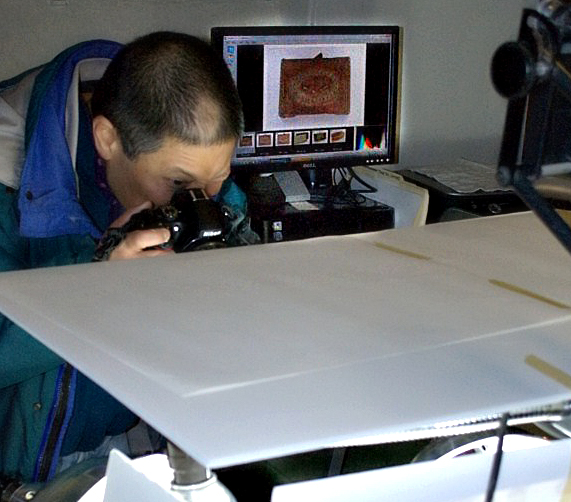 Look behind the photographer to see the image of the artifact being shot showing up on the computer screen. | 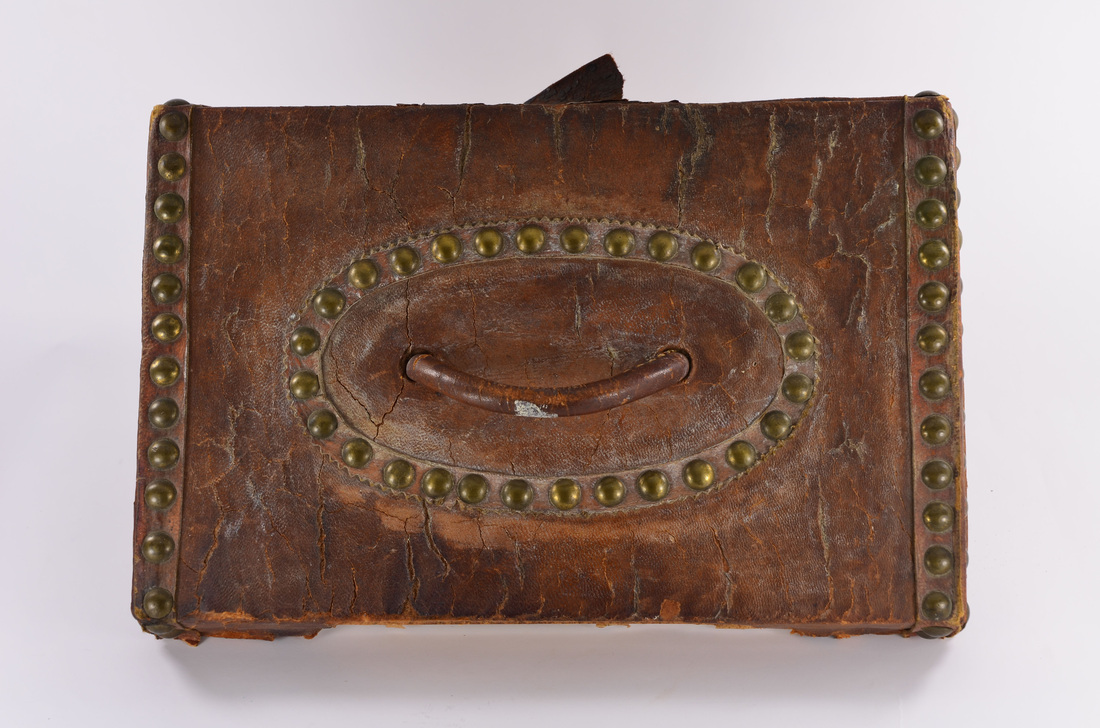 Oliver Smith leather deed box, top view, with brass studs, circa 1830, from the Hatfield Historical Museum. |
Enter my technical/computer consultant (also my husband), who suggested I do “tethered” shooting -- meaning, connect the camera directly to the computer so the images would pop up on the computer screen after each shot. This way, problems could be identified and corrected right away. After a bit of online searching, he found me a product that would work with my older camera (a Nikon D70) and our museum’s somewhat older computer (running XP),and was affordable for a historical society with a small budget.
We settled on a product called TetherPro, for $24.99 downloaded, and this works with the USB cable that came with my digital camera. Not only does it streamline the process (it could easily be saving us half the time of gathering images and getting them into the computer), but it also has improved the quality and consistency because I’m reviewing each one in real time at higher magnification and at a much larger size, allowing for immediate correction.(Let me tell you, this makes a huge difference for a mid-50s curator with bad eyes!)
My husband suggests if you are using either Nikon or Canon digital SLRs for your museum work, to take a look at this group of options for tethered shooting, which notes that many Canon digital SLRs come with this type of software (called EOS utility software). So you might already have this capability and not even know it!
http://www.tethertools.com/plugging-in/software/
Here’s to faster, better images in our electronic museum inventories!
P.S. Our inventory project is made possible with a grant through the Community Preservation Act..
We settled on a product called TetherPro, for $24.99 downloaded, and this works with the USB cable that came with my digital camera. Not only does it streamline the process (it could easily be saving us half the time of gathering images and getting them into the computer), but it also has improved the quality and consistency because I’m reviewing each one in real time at higher magnification and at a much larger size, allowing for immediate correction.(Let me tell you, this makes a huge difference for a mid-50s curator with bad eyes!)
My husband suggests if you are using either Nikon or Canon digital SLRs for your museum work, to take a look at this group of options for tethered shooting, which notes that many Canon digital SLRs come with this type of software (called EOS utility software). So you might already have this capability and not even know it!
http://www.tethertools.com/plugging-in/software/
Here’s to faster, better images in our electronic museum inventories!
P.S. Our inventory project is made possible with a grant through the Community Preservation Act..